
One Platform for Booking, Dispatch, and Driver Management
Smart Taxi Booking & Fleet Dispatch Software
Build your own taxi booking platform with customer booking, driver management, dispatch, fleet operations, payments, revenue tracking and detailed business reports. Puvnaa builds the applications passengers and drivers use, and the web application operators and dispatchers run the business from.
Planning a taxi platform? → Get Free Estimation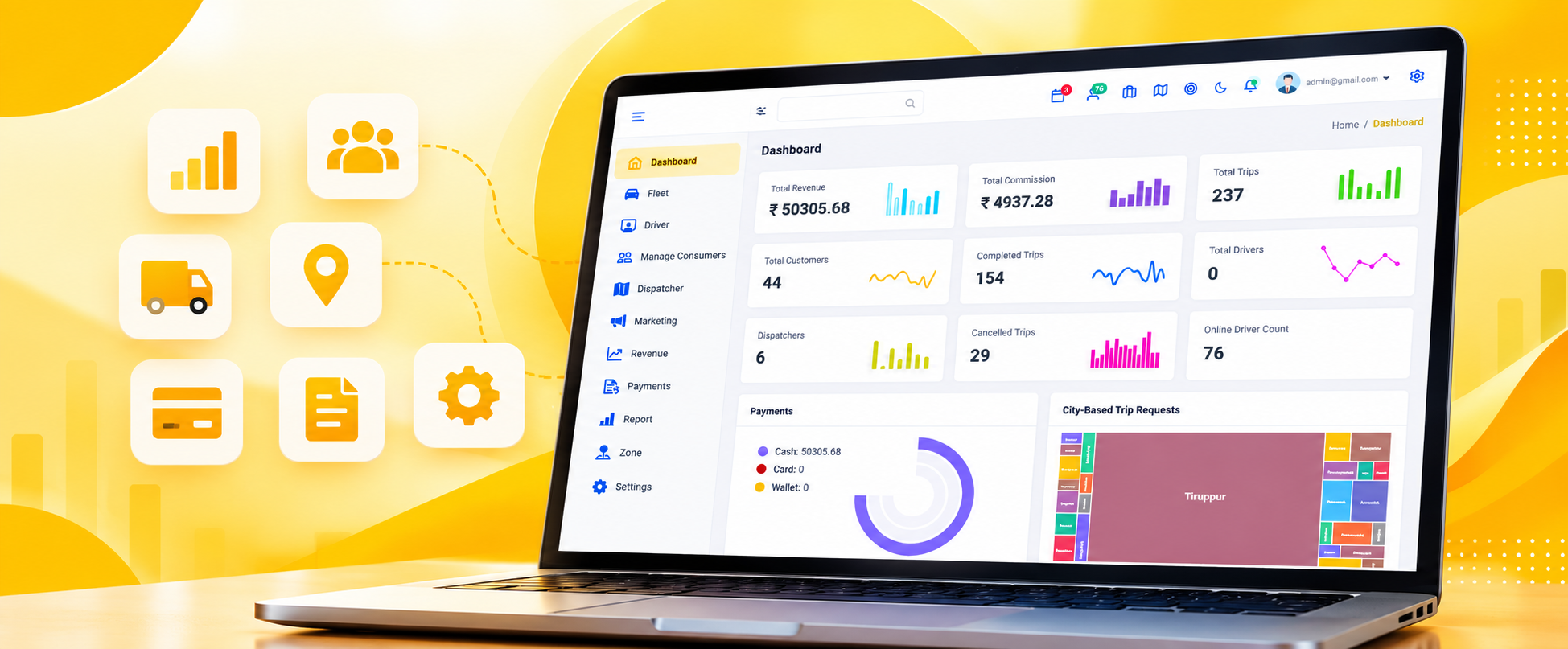

Three Sides of One Taxi Platform
A trip is booked by a passenger, carried out by a driver and managed by an operator. Each side works in its own application, and all three read the same fleets, zones, promotions, trips and payment records.
Discuss Your Taxi Application
Customer Booking
A booking starts with the passenger: phone number, passenger name and an optional email. The trip type is set as Local, Rental or Outstation, pickup and drop locations are entered, a journey time is chosen and a fleet is selected. When a passenger calls instead of booking themselves, a dispatcher creates the same booking from the admin side.

Driver & Fleet Operations
Drivers, vendors, ratings, attendance, wallet balances, notices and targets are held in the Driver module, and the vehicle side sits in Fleet with its models and service charges. A driver application can be built on the same records so drivers handle their trips and activity in the field.
Admin & Dispatcher Web Application
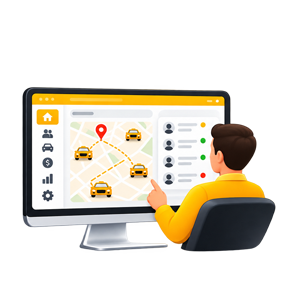
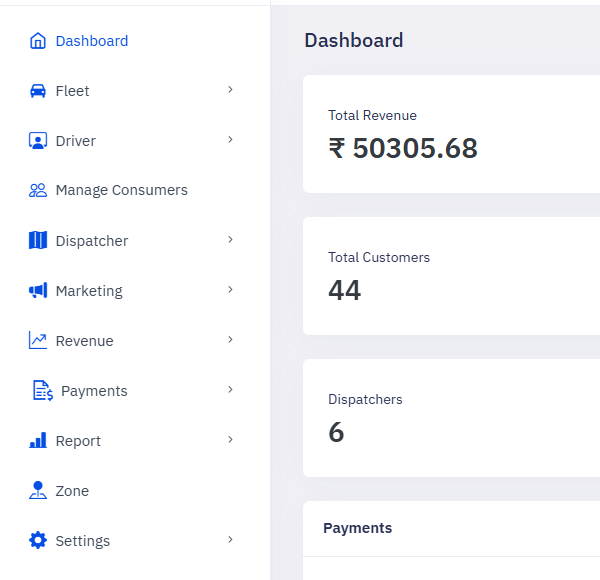
Operators work in a web application built from separate modules: Fleet, Driver, Manage Consumers, Dispatcher, Marketing, Revenue, Payments, Report, Zone and Settings. Dispatchers get their own dashboard, trip screens and ride enquiries inside the same application.
One Configuration Behind All Three
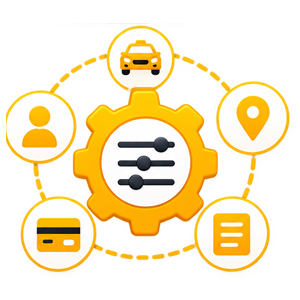
Fleets and models, service charges, zones, cities, promo codes, cancellation reasons, payment modes and message templates are configured once in the admin application. Every booking taken afterwards, on whichever side it starts, reads the same setup.
Book Every Type of Trip
Accept Local, Rental and Outstation bookings from one screen. The same form records who is travelling, where the trip starts and ends, when it runs, which fleet carries it and whether a promo code applies.
Discuss Your Taxi Application
Local, Rental and Outstation
Booking Type is the first thing chosen on the form, and Local, Rental and Outstation each open as their own type. An intercity run is taken on the same screen as a local drop, by the same person, with the same passenger and fleet details behind it.

Passenger, Pickup, Drop and Journey Time
Passenger Information takes the phone number, passenger name and an optional email, and an existing passenger can be searched by mobile number or by name. Pickup Location and Drop Location set the route, and Journey Time schedules the trip instead of assuming it starts now.

Fleet Selection and Promo Code
Select Fleet lists the vehicle types configured in the Fleet module, so a booking is tied to a fleet from the moment it is created. Promo Code applies a promotion set up in Marketing to that booking, which is where campaign work turns into a discounted trip.
1 of 3
3
booking types taken on one screen: Local, Rental and Outstation
11
admin modules: dashboard, fleet, driver, consumers, dispatch, marketing, revenue, payments, reports, zones and settings
2
mobile applications, one for passengers and one for drivers, that can be built alongside the admin web application


Available for projects
See Your Taxi Business From One Dashboard
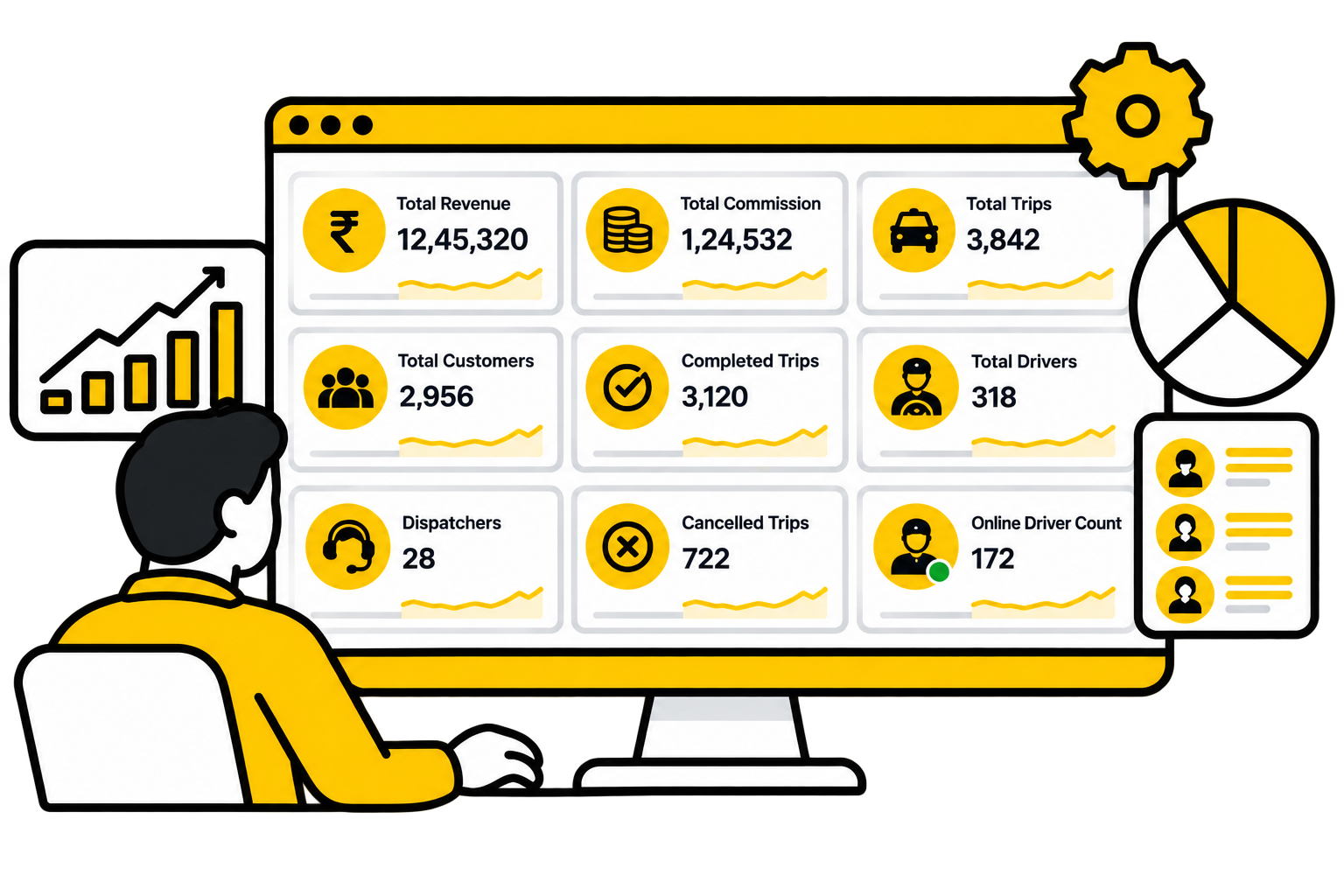
The dashboard opens on revenue, commissions, trips, customers, drivers and dispatchers. Underneath it sit the modules that produce those numbers: marketing, revenue, payments, reports, zones and platform configuration.
Book consultation
Nine counters on one screen
The admin dashboard opens on Total Revenue, Total Commission and Total Trips, with Total Customers, Completed Trips and Total Drivers beside them, and Dispatchers, Cancelled Trips and Online Driver Count underneath. Completed against cancelled, drivers against dispatchers, read in one place.

Payments and city demand, charted
Below the counters, a Payments chart splits collection across cash, card and wallet, and City-Based Trip Requests shows which cities requests are coming from. Both are drawn from the same trip and payment records the reports are built on.

Campaigns, promos and the promo code
Marketing runs from its own dashboard. Campaigns and Marketing manage outbound activity, Default Promo sets the promotion that applies by default, Email Templates hold what goes out, and Customer Wallet Logs show the wallet movement behind it. The Promo Code field on the booking screen is where that work is actually used.

Revenue and driver withdrawals
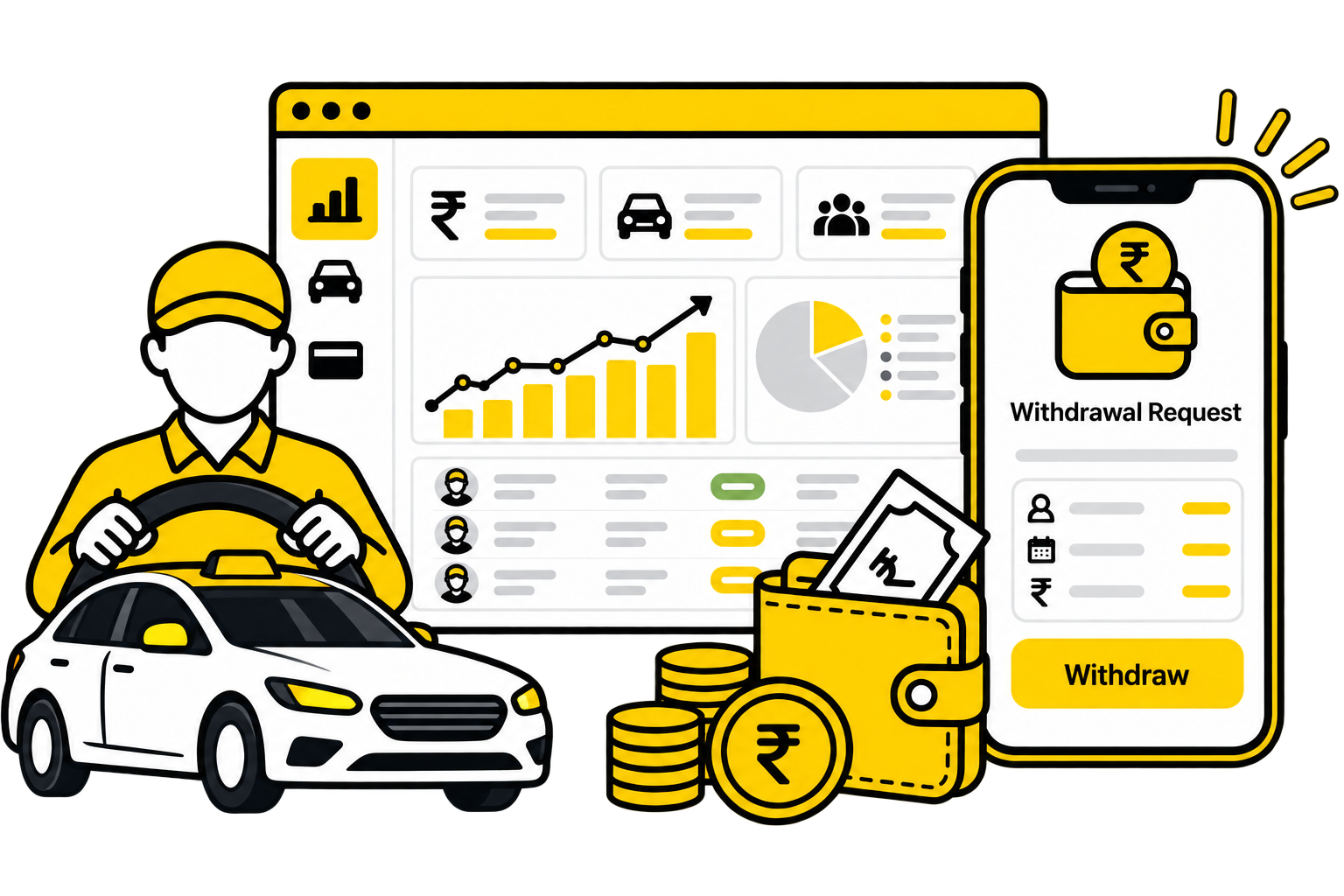
The Revenue module has its own dashboard, and Withdrawal Request is where driver withdrawal requests are reviewed and acted on. A withdrawal stays a record in the system rather than an arrangement made over a phone call.

Settlement requests and history
Settlement Request holds what is waiting to be settled and Settlement History keeps what already has been. Payment Modes, Payment Gateway and Withdrawal Payment Mode under Settings decide what the platform accepts and what it pays out through.
Nine counters on one screen
The admin dashboard opens on Total Revenue, Total Commission and Total Trips, with Total Customers, Completed Trips and Total Drivers beside them, and Dispatchers, Cancelled Trips and Online Driver Count underneath. Completed against cancelled, drivers against dispatchers, read in one place.
Payments and city demand, charted
Below the counters, a Payments chart splits collection across cash, card and wallet, and City-Based Trip Requests shows which cities requests are coming from. Both are drawn from the same trip and payment records the reports are built on.
Campaigns, promos and the promo code
Marketing runs from its own dashboard. Campaigns and Marketing manage outbound activity, Default Promo sets the promotion that applies by default, Email Templates hold what goes out, and Customer Wallet Logs show the wallet movement behind it. The Promo Code field on the booking screen is where that work is actually used.
Revenue and driver withdrawals
The Revenue module has its own dashboard, and Withdrawal Request is where driver withdrawal requests are reviewed and acted on. A withdrawal stays a record in the system rather than an arrangement made over a phone call.
Settlement requests and history
Settlement Request holds what is waiting to be settled and Settlement History keeps what already has been. Payment Modes, Payment Gateway and Withdrawal Payment Mode under Settings decide what the platform accepts and what it pays out through.
Nine counters on one screen
The admin dashboard opens on Total Revenue, Total Commission and Total Trips, with Total Customers, Completed Trips and Total Drivers beside them, and Dispatchers, Cancelled Trips and Online Driver Count underneath. Completed against cancelled, drivers against dispatchers, read in one place.
Payments and city demand, charted
Below the counters, a Payments chart splits collection across cash, card and wallet, and City-Based Trip Requests shows which cities requests are coming from. Both are drawn from the same trip and payment records the reports are built on.
Campaigns, promos and the promo code
Marketing runs from its own dashboard. Campaigns and Marketing manage outbound activity, Default Promo sets the promotion that applies by default, Email Templates hold what goes out, and Customer Wallet Logs show the wallet movement behind it. The Promo Code field on the booking screen is where that work is actually used.
Revenue and driver withdrawals
The Revenue module has its own dashboard, and Withdrawal Request is where driver withdrawal requests are reviewed and acted on. A withdrawal stays a record in the system rather than an arrangement made over a phone call.
Settlement requests and history
Settlement Request holds what is waiting to be settled and Settlement History keeps what already has been. Payment Modes, Payment Gateway and Withdrawal Payment Mode under Settings decide what the platform accepts and what it pays out through.
Nine counters on one screen
The admin dashboard opens on Total Revenue, Total Commission and Total Trips, with Total Customers, Completed Trips and Total Drivers beside them, and Dispatchers, Cancelled Trips and Online Driver Count underneath. Completed against cancelled, drivers against dispatchers, read in one place.
Payments and city demand, charted
Below the counters, a Payments chart splits collection across cash, card and wallet, and City-Based Trip Requests shows which cities requests are coming from. Both are drawn from the same trip and payment records the reports are built on.
Campaigns, promos and the promo code
Marketing runs from its own dashboard. Campaigns and Marketing manage outbound activity, Default Promo sets the promotion that applies by default, Email Templates hold what goes out, and Customer Wallet Logs show the wallet movement behind it. The Promo Code field on the booking screen is where that work is actually used.
Revenue and driver withdrawals
The Revenue module has its own dashboard, and Withdrawal Request is where driver withdrawal requests are reviewed and acted on. A withdrawal stays a record in the system rather than an arrangement made over a phone call.
Settlement requests and history
Settlement Request holds what is waiting to be settled and Settlement History keeps what already has been. Payment Modes, Payment Gateway and Withdrawal Payment Mode under Settings decide what the platform accepts and what it pays out through.
Nine counters on one screen
The admin dashboard opens on Total Revenue, Total Commission and Total Trips, with Total Customers, Completed Trips and Total Drivers beside them, and Dispatchers, Cancelled Trips and Online Driver Count underneath. Completed against cancelled, drivers against dispatchers, read in one place.
Payments and city demand, charted
Below the counters, a Payments chart splits collection across cash, card and wallet, and City-Based Trip Requests shows which cities requests are coming from. Both are drawn from the same trip and payment records the reports are built on.
Campaigns, promos and the promo code
Marketing runs from its own dashboard. Campaigns and Marketing manage outbound activity, Default Promo sets the promotion that applies by default, Email Templates hold what goes out, and Customer Wallet Logs show the wallet movement behind it. The Promo Code field on the booking screen is where that work is actually used.
Revenue and driver withdrawals
The Revenue module has its own dashboard, and Withdrawal Request is where driver withdrawal requests are reviewed and acted on. A withdrawal stays a record in the system rather than an arrangement made over a phone call.
Settlement requests and history
Settlement Request holds what is waiting to be settled and Settlement History keeps what already has been. Payment Modes, Payment Gateway and Withdrawal Payment Mode under Settings decide what the platform accepts and what it pays out through.
Nine counters on one screen
The admin dashboard opens on Total Revenue, Total Commission and Total Trips, with Total Customers, Completed Trips and Total Drivers beside them, and Dispatchers, Cancelled Trips and Online Driver Count underneath. Completed against cancelled, drivers against dispatchers, read in one place.
Payments and city demand, charted
Below the counters, a Payments chart splits collection across cash, card and wallet, and City-Based Trip Requests shows which cities requests are coming from. Both are drawn from the same trip and payment records the reports are built on.
Campaigns, promos and the promo code
Marketing runs from its own dashboard. Campaigns and Marketing manage outbound activity, Default Promo sets the promotion that applies by default, Email Templates hold what goes out, and Customer Wallet Logs show the wallet movement behind it. The Promo Code field on the booking screen is where that work is actually used.
Revenue and driver withdrawals
The Revenue module has its own dashboard, and Withdrawal Request is where driver withdrawal requests are reviewed and acted on. A withdrawal stays a record in the system rather than an arrangement made over a phone call.
Settlement requests and history
Settlement Request holds what is waiting to be settled and Settlement History keeps what already has been. Payment Modes, Payment Gateway and Withdrawal Payment Mode under Settings decide what the platform accepts and what it pays out through.
Nine counters on one screen
The admin dashboard opens on Total Revenue, Total Commission and Total Trips, with Total Customers, Completed Trips and Total Drivers beside them, and Dispatchers, Cancelled Trips and Online Driver Count underneath. Completed against cancelled, drivers against dispatchers, read in one place.
Payments and city demand, charted
Below the counters, a Payments chart splits collection across cash, card and wallet, and City-Based Trip Requests shows which cities requests are coming from. Both are drawn from the same trip and payment records the reports are built on.
Campaigns, promos and the promo code
Marketing runs from its own dashboard. Campaigns and Marketing manage outbound activity, Default Promo sets the promotion that applies by default, Email Templates hold what goes out, and Customer Wallet Logs show the wallet movement behind it. The Promo Code field on the booking screen is where that work is actually used.
Revenue and driver withdrawals
The Revenue module has its own dashboard, and Withdrawal Request is where driver withdrawal requests are reviewed and acted on. A withdrawal stays a record in the system rather than an arrangement made over a phone call.
Settlement requests and history
Settlement Request holds what is waiting to be settled and Settlement History keeps what already has been. Payment Modes, Payment Gateway and Withdrawal Payment Mode under Settings decide what the platform accepts and what it pays out through.

Trip and transaction reporting
The Report module keeps Transactions and Trip Backup beside its own reporting dashboard, so what was charged and which trips ran can be pulled for a period without going back through the dispatch screens.
Customer and fleet reporting
Customers, Customer Wise Report and Customer Logs read the passenger side: who booked, how often, and what was recorded against them. The Fleet report reads the vehicle side of the same trips.

Driver reporting in detail
Driver, Driver Trip Wise Report and Driver Earning Wise Report cover trips run and earnings due. Driver Selfie Report, Driver Trip Struck Report and Driver Referral Report cover the rest: verification images, trips that got stuck, and referrals.
Who did what, and when
User Logs and Dispatcher Login Activity record platform activity, including when dispatchers were logged in. A booking, a cancellation or a change can be traced back to the person who made it.
Zones you actually operate in
Zone management defines the operating areas the platform works within, with the City, State and Country masters and Popular Places beside it under Settings. Where you operate stays configuration rather than something decided booking by booking.
Configured once, read everywhere
Site Settings, Preferences, CMS and Theme Settings cover the platform itself, Map Settings and Map API Keys cover mapping, and SMTP Mail Configuration, Email Templates and SMS Templates cover what reaches passengers and drivers. Vehicle Manufacturer, Plate Prefix and Cancellation Reason cover vehicle records and why a trip did not run.
Trip and transaction reporting
The Report module keeps Transactions and Trip Backup beside its own reporting dashboard, so what was charged and which trips ran can be pulled for a period without going back through the dispatch screens.
Customer and fleet reporting
Customers, Customer Wise Report and Customer Logs read the passenger side: who booked, how often, and what was recorded against them. The Fleet report reads the vehicle side of the same trips.
Driver reporting in detail
Driver, Driver Trip Wise Report and Driver Earning Wise Report cover trips run and earnings due. Driver Selfie Report, Driver Trip Struck Report and Driver Referral Report cover the rest: verification images, trips that got stuck, and referrals.
Who did what, and when
User Logs and Dispatcher Login Activity record platform activity, including when dispatchers were logged in. A booking, a cancellation or a change can be traced back to the person who made it.
Zones you actually operate in
Zone management defines the operating areas the platform works within, with the City, State and Country masters and Popular Places beside it under Settings. Where you operate stays configuration rather than something decided booking by booking.
Configured once, read everywhere
Site Settings, Preferences, CMS and Theme Settings cover the platform itself, Map Settings and Map API Keys cover mapping, and SMTP Mail Configuration, Email Templates and SMS Templates cover what reaches passengers and drivers. Vehicle Manufacturer, Plate Prefix and Cancellation Reason cover vehicle records and why a trip did not run.
Trip and transaction reporting
The Report module keeps Transactions and Trip Backup beside its own reporting dashboard, so what was charged and which trips ran can be pulled for a period without going back through the dispatch screens.
Customer and fleet reporting
Customers, Customer Wise Report and Customer Logs read the passenger side: who booked, how often, and what was recorded against them. The Fleet report reads the vehicle side of the same trips.
Driver reporting in detail
Driver, Driver Trip Wise Report and Driver Earning Wise Report cover trips run and earnings due. Driver Selfie Report, Driver Trip Struck Report and Driver Referral Report cover the rest: verification images, trips that got stuck, and referrals.
Who did what, and when
User Logs and Dispatcher Login Activity record platform activity, including when dispatchers were logged in. A booking, a cancellation or a change can be traced back to the person who made it.
Zones you actually operate in
Zone management defines the operating areas the platform works within, with the City, State and Country masters and Popular Places beside it under Settings. Where you operate stays configuration rather than something decided booking by booking.
Configured once, read everywhere
Site Settings, Preferences, CMS and Theme Settings cover the platform itself, Map Settings and Map API Keys cover mapping, and SMTP Mail Configuration, Email Templates and SMS Templates cover what reaches passengers and drivers. Vehicle Manufacturer, Plate Prefix and Cancellation Reason cover vehicle records and why a trip did not run.
Trip and transaction reporting
The Report module keeps Transactions and Trip Backup beside its own reporting dashboard, so what was charged and which trips ran can be pulled for a period without going back through the dispatch screens.
Customer and fleet reporting
Customers, Customer Wise Report and Customer Logs read the passenger side: who booked, how often, and what was recorded against them. The Fleet report reads the vehicle side of the same trips.
Driver reporting in detail
Driver, Driver Trip Wise Report and Driver Earning Wise Report cover trips run and earnings due. Driver Selfie Report, Driver Trip Struck Report and Driver Referral Report cover the rest: verification images, trips that got stuck, and referrals.
Who did what, and when
User Logs and Dispatcher Login Activity record platform activity, including when dispatchers were logged in. A booking, a cancellation or a change can be traced back to the person who made it.
Zones you actually operate in
Zone management defines the operating areas the platform works within, with the City, State and Country masters and Popular Places beside it under Settings. Where you operate stays configuration rather than something decided booking by booking.
Configured once, read everywhere
Site Settings, Preferences, CMS and Theme Settings cover the platform itself, Map Settings and Map API Keys cover mapping, and SMTP Mail Configuration, Email Templates and SMS Templates cover what reaches passengers and drivers. Vehicle Manufacturer, Plate Prefix and Cancellation Reason cover vehicle records and why a trip did not run.
Trip and transaction reporting
The Report module keeps Transactions and Trip Backup beside its own reporting dashboard, so what was charged and which trips ran can be pulled for a period without going back through the dispatch screens.
Customer and fleet reporting
Customers, Customer Wise Report and Customer Logs read the passenger side: who booked, how often, and what was recorded against them. The Fleet report reads the vehicle side of the same trips.
Driver reporting in detail
Driver, Driver Trip Wise Report and Driver Earning Wise Report cover trips run and earnings due. Driver Selfie Report, Driver Trip Struck Report and Driver Referral Report cover the rest: verification images, trips that got stuck, and referrals.
Who did what, and when
User Logs and Dispatcher Login Activity record platform activity, including when dispatchers were logged in. A booking, a cancellation or a change can be traced back to the person who made it.
Zones you actually operate in
Zone management defines the operating areas the platform works within, with the City, State and Country masters and Popular Places beside it under Settings. Where you operate stays configuration rather than something decided booking by booking.
Configured once, read everywhere
Site Settings, Preferences, CMS and Theme Settings cover the platform itself, Map Settings and Map API Keys cover mapping, and SMTP Mail Configuration, Email Templates and SMS Templates cover what reaches passengers and drivers. Vehicle Manufacturer, Plate Prefix and Cancellation Reason cover vehicle records and why a trip did not run.
Trip and transaction reporting
The Report module keeps Transactions and Trip Backup beside its own reporting dashboard, so what was charged and which trips ran can be pulled for a period without going back through the dispatch screens.
Customer and fleet reporting
Customers, Customer Wise Report and Customer Logs read the passenger side: who booked, how often, and what was recorded against them. The Fleet report reads the vehicle side of the same trips.
Driver reporting in detail
Driver, Driver Trip Wise Report and Driver Earning Wise Report cover trips run and earnings due. Driver Selfie Report, Driver Trip Struck Report and Driver Referral Report cover the rest: verification images, trips that got stuck, and referrals.
Who did what, and when
User Logs and Dispatcher Login Activity record platform activity, including when dispatchers were logged in. A booking, a cancellation or a change can be traced back to the person who made it.
Zones you actually operate in
Zone management defines the operating areas the platform works within, with the City, State and Country masters and Popular Places beside it under Settings. Where you operate stays configuration rather than something decided booking by booking.
Configured once, read everywhere
Site Settings, Preferences, CMS and Theme Settings cover the platform itself, Map Settings and Map API Keys cover mapping, and SMTP Mail Configuration, Email Templates and SMS Templates cover what reaches passengers and drivers. Vehicle Manufacturer, Plate Prefix and Cancellation Reason cover vehicle records and why a trip did not run.
Trip and transaction reporting
The Report module keeps Transactions and Trip Backup beside its own reporting dashboard, so what was charged and which trips ran can be pulled for a period without going back through the dispatch screens.
Customer and fleet reporting
Customers, Customer Wise Report and Customer Logs read the passenger side: who booked, how often, and what was recorded against them. The Fleet report reads the vehicle side of the same trips.
Driver reporting in detail
Driver, Driver Trip Wise Report and Driver Earning Wise Report cover trips run and earnings due. Driver Selfie Report, Driver Trip Struck Report and Driver Referral Report cover the rest: verification images, trips that got stuck, and referrals.
Who did what, and when
User Logs and Dispatcher Login Activity record platform activity, including when dispatchers were logged in. A booking, a cancellation or a change can be traced back to the person who made it.
Zones you actually operate in
Zone management defines the operating areas the platform works within, with the City, State and Country masters and Popular Places beside it under Settings. Where you operate stays configuration rather than something decided booking by booking.
Configured once, read everywhere
Site Settings, Preferences, CMS and Theme Settings cover the platform itself, Map Settings and Map API Keys cover mapping, and SMTP Mail Configuration, Email Templates and SMS Templates cover what reaches passengers and drivers. Vehicle Manufacturer, Plate Prefix and Cancellation Reason cover vehicle records and why a trip did not run.
Taxi Applications Puvnaa Can Build
The screens on this page come from a working taxi platform. What we build for you is shaped around how your own operation runs: a customer booking app, a driver app, an operator web application, or all three together.
Can the platform take Local, Rental and Outstation bookings from one screen?
Do you build the mobile applications as well as the admin web application?
Can dispatchers create bookings for passengers who call in?
How long does it take to get started?
What does the software cost?
Haven't you found the answers?
Talk to usAvailable for projects
Build Your Own Taxi Booking Platform
From customer booking to driver operations, dispatch, payments and reporting, Puvnaa can build a taxi platform around your business model. Tell us how bookings reach you today, how drivers are assigned, how settlements are handled and which reports you actually read.